





In this article, we'll show you step by step how to create a WordPress child theme:
What is a WordPress child theme?
A child theme in WordPress is a theme that inherits all the functionality and features of its parent theme. You can easily change the child theme without affecting the parent theme; however, changes you make to the parent theme are automatically reflected in the child theme.
Requirements for creating a WordPress child theme
Basic knowledge of HTML/CSS helps you make changes to your own theme. Some basic PHP knowledge is also an advantage.
Creating a WordPress child theme manually
Before creating a child theme, make sure the parent theme is listed under "Appearance" >> "Themes".
Step 1
Go to the "wp-content/themes/" folder of your WordPress installation and create a new folder with the name of your theme followed by "-child". Example: avada-child.
Step 2
Next, open your text editor and paste this code:
/*
Theme Name:   Child Example
Theme URI:    http://example.com/child-exxample/
Description:  Child Example Avada
ThemeAuthor:  Your Name
Author URI:   http://example.com
Template:     avada
Version:      1.0.0
License:      GNU General Public License v2 or later
License URI:  http://www.gnu.org/licenses/gpl-2.0.html
Text Domain:  avada-child
*/
Once pasted, replace the information under "Theme Name" with your theme name, for example "Avada Child", and the information under "Template" with the exact name of your parent theme (for example "avada").
Save the file as style.css in the folder you just created.
Step 3
Create a functions.php file in the same folder and paste this code:
<?php
add_action( 'wp_enqueue_scripts', 'enqueue_parent_styles');
function enqueue_parent_styles() {
    wp_enqueue_style( 'parent-style', get_template_directory_uri().'/style.css');
}
Step 4
Once you have pasted the code, close the folder, go to Appearance >> Themes and select your child theme.
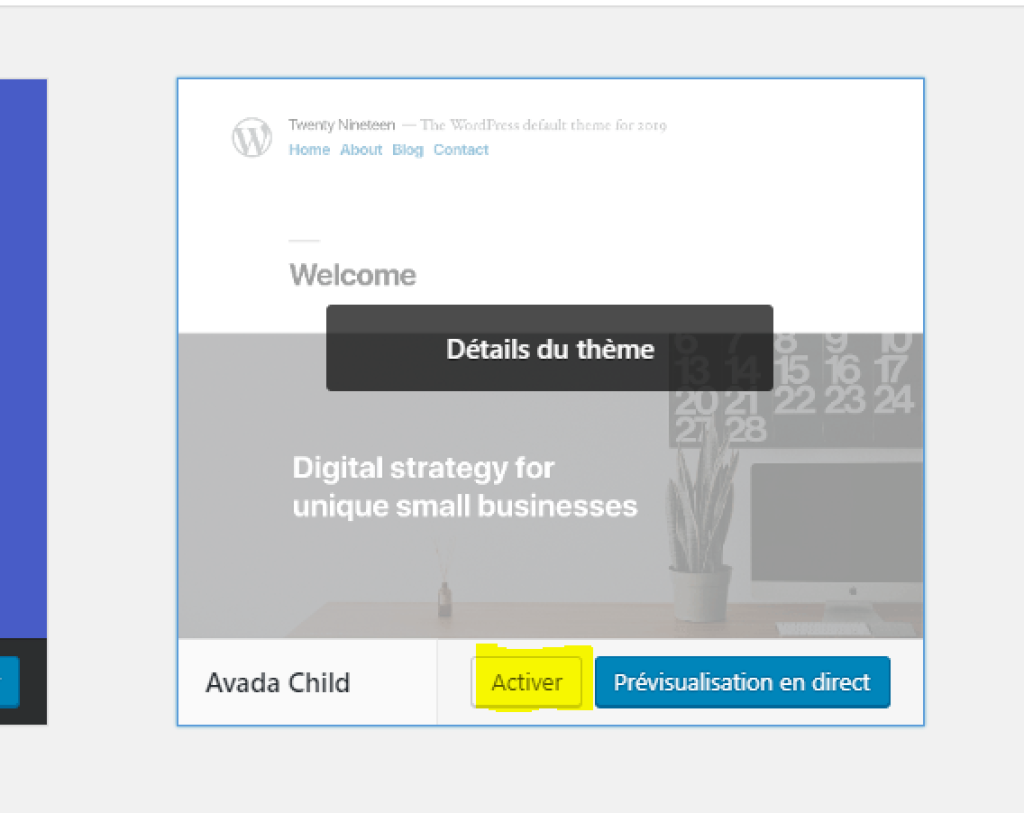
Step 5
Click the Activate button and you can then see what it looks like.
Still have questions about creating a WordPress child theme? Get in touch, we'll be happy to help!